Resume template
Molar
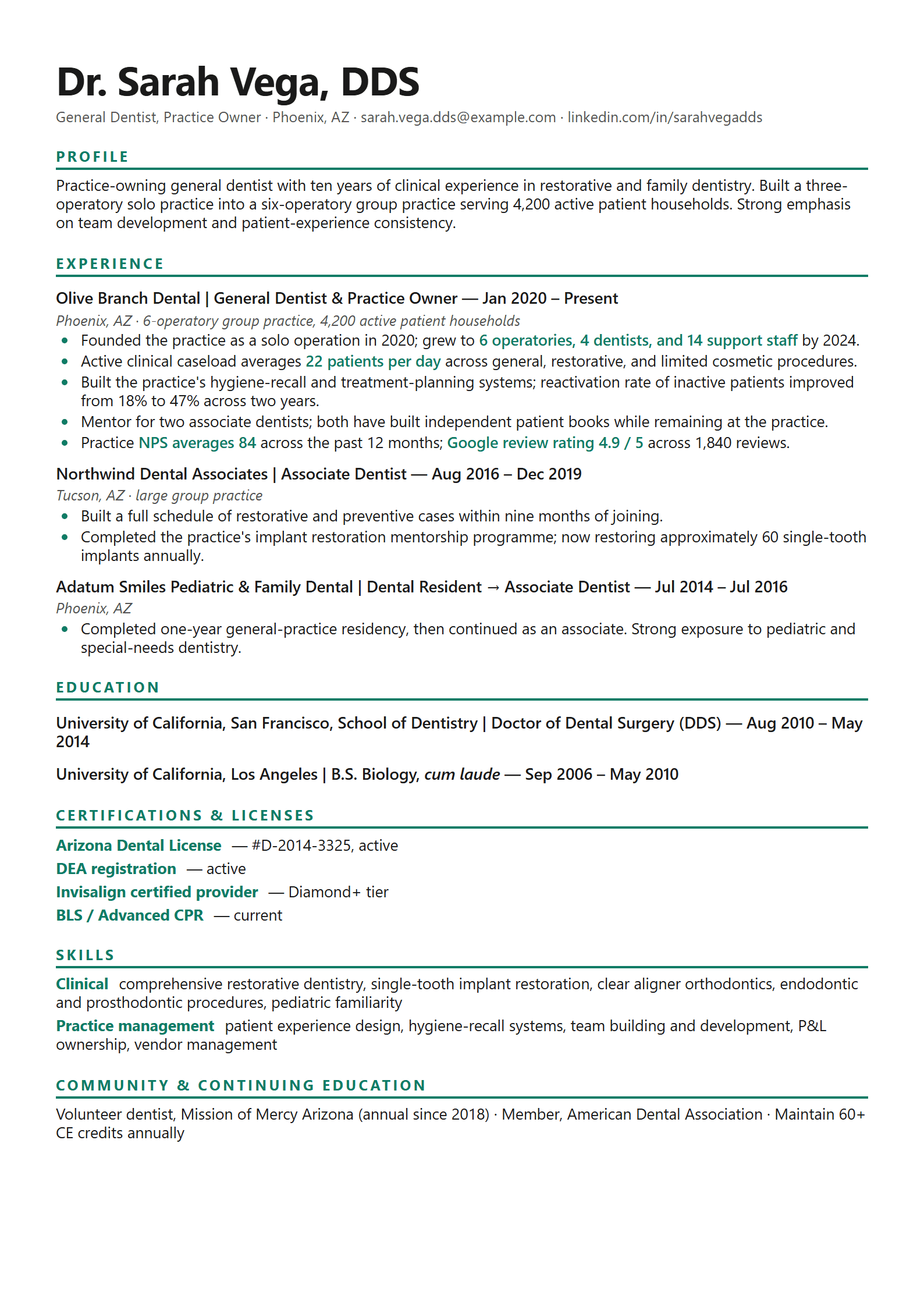
Dentist resume in Inter with teal accent. Practice-management and patient volume emphasized.
Best for: job seekers who want a clean layout, applicants targeting structured portals, professionals who prefer readable PDFs.
Molar is a Lynt resume template designed for real applications. Dentist resume in Inter with teal accent. Practice-management and patient volume emphasized.
This layout is a strong fit when you want a document that stays readable in PDF form and still works for human reviewers. Tags associated with this template include: resume, dentistry, mid-career, ats.
Best-fit audiences include job seekers who want a clean layout, applicants targeting structured portals, professionals who prefer readable PDFs. Use it as a starting point, then tailor bullets to each job description inside Lynt: AI suggestions always wait for your approval before changing the document.
In the Lynt gallery, Molar aligns with ATS-friendly collections. Pair it with the matching cover letter template when you need a coordinated application package.
Customization in Lynt covers type, spacing, and accents without breaking the underlying structure. Export a clean PDF on the free plan; DOCX and additional export options are available on paid plans.
Before you apply, run Lynt’s ATS readiness check on the same file you export. That keeps structure checks honest: contact details, section headers, dates, and reading order: rather than scoring a different paste buffer.
When you switch roles, duplicate the resume, tailor keywords honestly, and track which version you sent with the application tracker. Molar works best as a stable visual system while your content evolves per posting.
Template details
- Template id
- resume-72
- Document type
- Resume (A4)
- Photo support
- No photo slot
- Tags
- resume, dentistry, mid-career, ats
- Matching cover letter
- Available
Related tools: ATS resume checker, resume tailoring, and pricing.
FAQ
Is Molar ATS-friendly?
It is designed for professional PDF export with clear structure. For strict corporate portals, keep section headers standard and run Lynt’s ATS checker after major layout changes.
Who should use the Molar resume template?
It is a strong default for job seekers who want a clean layout, applicants targeting structured portals, professionals who prefer readable PDFs. Always tailor content to the job description.
Does Molar include a cover letter?
Yes. Lynt includes a matching cover letter layout you can open from the template page.
Can I customize colors and fonts?
Yes. Adjust styles in the Lynt editor while keeping the template’s structure for export consistency.
Is Molar free to use?
You can start on Lynt Free with clean PDF export. Template access and limits vary by plan: see pricing.